
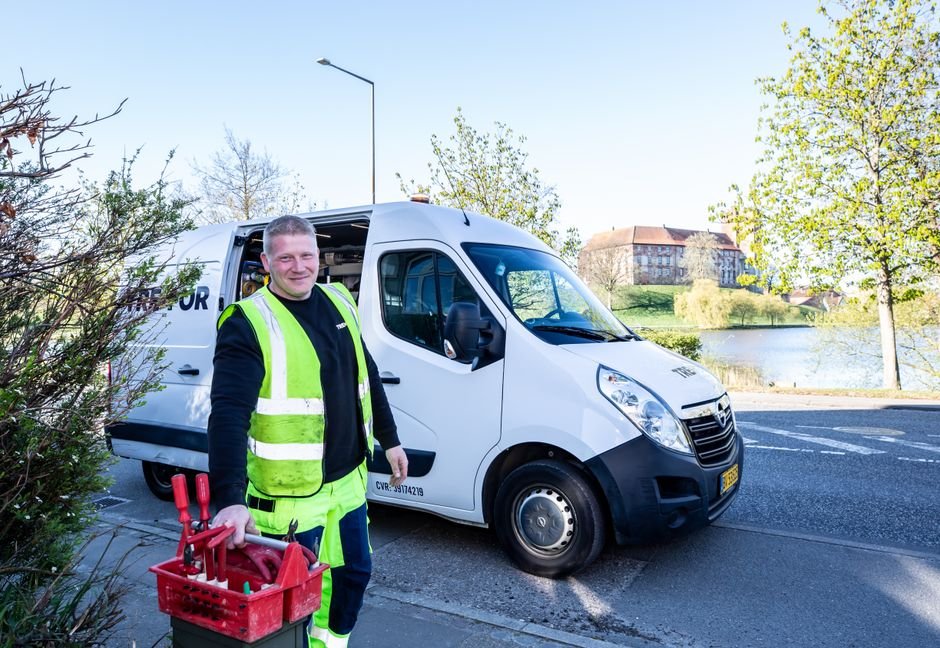
It is 7:40 on a Monday morning. Two technicians have called in, a furnace no-heat call has just come in from a customer with a newborn, and the office is trying to work out who is closest, who has the right parts on the van, and whether Friday’s invoices ever went out. If your shop runs on a whiteboard, a shared calendar and a stack of carbon-copy work orders, you know this morning well. Field service software exists to make it calmer. This guide is for owners and office managers at Canadian HVAC, plumbing, electrical and similar trades businesses who are trying to work out what to look for, what to ignore, and whether they need it at all.
1. What field service software actually does
Strip away the marketing and most field service platforms cover the same chain of work:
- Intake – a customer calls, emails or books online, and the request becomes a job with an address, a problem description and a priority.
- Scheduling and dispatch – someone decides who goes, when, and in what order.
- The job itself – the technician sees the job on a phone or tablet, records what was found and done, takes photos, logs parts and time, and gets a signature.
- Billing – the work order becomes an invoice with the right parts, labour and sales tax.
- The back office – the invoice lands in accounting, the hours feed payroll, the parts are reordered.
Almost every product handles the first three steps reasonably well. The real differences show up in the last two,: retyping invoices, reconciling van stock by hand, and adding up timesheets from three places. Judge a system by the whole chain, not by how good the dispatch board looks in a demo.
2. Scheduling and dispatch: where the time goes
Dispatch is the heart of the system and the part your office staff will touch all day. A drag-and-drop calendar is the bare minimum. What you want to know is how much of the thinking the software does for the dispatcher.
Questions to ask about dispatch
- Does it know who can do the job? A gas furnace call needs a licensed gas technician; a panel upgrade needs a licensed electrician. The system should hold skills and certifications against each person and stop you booking the wrong one.
- Does it know who is away? If vacation and sick days live in a separate HR spreadsheet, the dispatcher will eventually book someone who is not there. Time off should show on the board automatically.
- Does it think about geography? Crossing town twice for two calls that sit side by side wastes paid time and fuel. Look for region or territory rules and some awareness of nearby jobs.
- Does it explain its suggestions? Some tools now suggest who to send. That is only useful if the dispatcher can see why, so they can overrule it when they know something the software does not, like the customer who only wants the same technician every time.
For reference, this is the approach we took with the dispatch board in our own field service built into an ERP: it suggests who to send based on skill, time off, region and nearby work, and it shows the reason for each suggestion, because a dispatcher who cannot see the reasoning will rightly ignore it.
Route planning and timed visits
Route planning matters more the more calls each technician runs in a day. Two long jobs a day gain little from it; eight maintenance calls gain a lot. Look for a system that plans each technician’s day in a sensible order and gives customers a realistic arrival window rather than a vague “morning” or “afternoon”. (Our own Field Service module plans each technician’s day in the shortest route with timed visits, for exactly this reason.) Timed visits also let you hold yourself to the service levels you promise on maintenance contracts.
3. Mobile job records: what technicians need in the field
The technician’s phone screen is where most field service software succeeds or fails. If it is slow, cluttered or asks for twenty taps to close a job, technicians will fill it in at the end of the day from memory, or not at all, and every downstream benefit disappears.
What a technician should be able to do, quickly:
- See today’s jobs in order, with address, contact, access notes and the history of previous visits to that site and that equipment.
- Record what was found and what was done, with photos attached to the job, not buried in a camera roll.
- Add parts used and time on site.
- Capture the customer’s signature and, ideally, show them the invoice or take payment on the spot.
Ask to try the mobile screen yourself, on a phone, standing up, with gloves off and a customer waiting. Five minutes of that beats an hour-long demo.
Offline and mobile realities
Basements, mechanical rooms, rural properties and new-build sites with no service are a normal part of trades work. Ask directly what happens when the technician has no signal. Can they still open the job, record notes and parts, and capture a signature, with everything syncing once they are back in coverage? Or does the app simply stop working? Ask how conflicts are handled if the office edits a job while the technician is offline. Vague answers here are a warning sign.
If technicians use personal phones, ask what happens to customer data when someone leaves. PIPEDA and provincial privacy laws apply to the names, addresses and home photos your crews collect every day.
4. Parts and van stock
For many trades shops, the van is a rolling warehouse, and it is where margin quietly leaks. Parts get used and never billed, the same fitting is bought three times because nobody knew one was on another van, and the year-end inventory count turns into a weekend.
What to look for:
- Each van as a stock location. The system should know what is on each truck, not just what is in the shop.
- Parts used come off the van and onto the invoice in one step. If the technician records a part on the job, it should reduce that van’s stock and appear on the invoice at the right price. Two separate entries means one of them will eventually be missed.
- Restocking. Low stock on a van should be easy to see and turn into a transfer from the shop or a purchase order.
Ask the vendor one specific question: when a part is used on a job, what happens to the inventory value in your accounting? If the honest answer is “nothing, you adjust it at month end”, your stock figure on the balance sheet will drift away from what is actually on the shelves and in the vans.
5. Invoicing and Canadian sales tax
The goal is simple: when a technician closes a job, an accurate invoice should be ready without anyone retyping it. Accurate is the hard part.
Getting GST/HST, QST and PST right
Many field service tools are built for the US market and treat sales tax as a single percentage. Canada is more complicated. Depending on where you operate, you may be charging GST, HST, GST plus QST in Quebec, or GST plus a separate provincial sales tax, and the rate that applies generally follows where the service is supplied, not where your office is. A shop near a provincial border, or one that sends crews to jobs in another province, needs the system to pick the right rate for each job’s location. In provinces with a separate PST, parts and labour can be treated differently, and rules vary by province and type of work. The CRA’s GST/HST guidance for businesses is the place to confirm the federal side; check your provincial ministry of finance for PST.
Questions to ask:
- Can tax be set per line, so taxable and exempt items sit on the same invoice correctly?
- Does the tax follow the job address?
- When a rate changes mid-year, does the system apply the new rate from the right date, or does someone have to remember to update it?
- Does the tax collected flow into your GST/HST return figures, or does your bookkeeper rebuild them from a report?
6. Connection to accounting and payroll
This is the section most buyers skip and most regret. A standalone field service app almost always means two systems: the app holds jobs, parts and technician hours; your accounting software holds invoices, inventory value and payroll. Between them sits a sync, an export or a person.
When you evaluate, ask:
- What exactly syncs, in which direction, and how often? Invoices only? Payments? Inventory? Costs?
- What happens when the sync fails? Who is told, and how do you find what didn’t make it?
- Do technician hours reach payroll? If hours are recorded on jobs but payroll is calculated from a separate timesheet, you are recording the same hours twice.
- Can you see real job profitability? Labour cost plus parts cost against the invoice, per job and per technician, without exporting to a spreadsheet.
The alternative is field service that lives inside the same system as your accounting, so a completed service call posts straight to the general ledger rather than syncing to it. That is how we built the Field Service module in our AI ERP: it posts to the same ledger as accounting, sales, supply chain and payroll, and parts used come off the van’s stock and go straight on the invoice. It is not right for every shop: moving accounting is a bigger decision than adding a scheduling app. But if reconciling two sets of records is your biggest headache, it is worth weighing. Our guide to connecting AI and software to the systems you already run covers the integration side in more depth.
7. Where AI genuinely helps, and where it doesn’t
Expect every vendor to mention AI. Suggesting a technician based on skills, availability and location saves a dispatcher real thinking time, provided the reason is shown.
Be skeptical of anything that acts without a person checking it. Software that sends invoices or reschedules customers on its own will eventually embarrass you. The sensible pattern is for the software to prepare the work and a person to approve it. We cover how to evaluate claims like these in our page on practical AI automation.
8. A decision checklist
Before you sign anything, work through these with your dispatcher, one senior technician and whoever does your books in the room:
- Write down your three most painful problems today. Missed parts billing? Double bookings? Invoices going out late? Judge every product against those three, not against its feature list.
- Count technicians and calls per day. That decides how much dispatch and routing help you need.
- Run a real day through the demo: an emergency call, a technician off sick, a job that needs a part from another van.
- Test the mobile screen on a phone, with no signal.
- Issue a test invoice for a job in each province you work in and check the tax.
- Trace one job from booking to the general ledger. Count how many times data is re-entered or synced.
- Ask what it costs to add a screen, report or approval step you need later, and how long it takes.
- Ask where your data is stored and who can see it. If staying in Canada matters to you or your customers, get it in writing.
- Ask how you get your data out if you leave.
9. When a standalone tool or a simple calendar is enough
Not every trades business needs field service software, and some that buy it would have been better off without it. Be honest with yourself here.
- You are an owner-operator, or two or three people. If you are the dispatcher, the technician and the bookkeeper, a shared calendar, a good invoicing app and a notes app on your phone will usually do.
- You do a few long jobs, not many short ones. Renovation plumbing or commercial electrical work that runs for days at one site is closer to project management than dispatch. Routing and scheduling features add little.
- Your accounting already works and you only need scheduling. If your bookkeeping is clean, your invoice volume is modest and the only real pain is who goes where, a standalone scheduling tool with a simple invoice export is a perfectly reasonable choice. Replacing your accounting to fix a calendar problem is overkill.
- Your processes aren’t settled yet. If every job is quoted, priced and handled differently, software will mostly encode the confusion. Spend a month writing down how you actually want jobs to flow first.
- Nobody will own it. Every system needs someone in the office who keeps the customer list, price book and parts list tidy. Without that person, the data decays and technicians stop trusting it.
Field service software, and especially field service that runs inside your accounting system, earns its keep once you have several technicians, a steady flow of short calls, parts on vans and an office team spending real hours stitching jobs, invoices and payroll together. That is the point to look seriously.
Frequently Asked Questions
What is field service software?
Field service software manages work done at a customer’s location: taking service requests, scheduling and dispatching technicians, giving them job details on a phone or tablet, recording parts, time and photos, and turning the finished job into an invoice. The better systems also connect that work to inventory, accounting and payroll so nothing has to be retyped.
Do small trades businesses need field service software?
Not always. An owner-operator or a two or three person shop can usually run well on a shared calendar and a good invoicing app. Field service software starts to pay off once you have several technicians, many short calls a day, parts carried on vans and office staff spending real time matching jobs to invoices and timesheets.
Does field service software work without a cell signal?
Some apps let technicians open jobs, record notes, parts and signatures offline and sync later; others stop working without a connection. Ask each vendor to demonstrate it with the phone in airplane mode, and ask how conflicting edits between the office and the field are handled once the device reconnects.
How does field service software handle Canadian sales tax?
It depends on the product. Look for tax set per invoice line, rates that follow the job’s location rather than your office, support for GST, HST, QST and PST, and dated rate changes. Then confirm the tax collected flows into your return figures instead of being rebuilt from a report each filing period.
Ready to Put AI to Work?
Book a free, no-pressure consultation. We’ll tell you where AI actually pays off – and when it doesn’t.
Book a Free Consultation ->